Difference between revisions of "IOP-050 BTC"
| Line 215: | Line 215: | ||
<li>The carriage is now ready for use. </li> | <li>The carriage is now ready for use. </li> | ||
</ol> | </ol> | ||
===OPERATING CONTROLS=== | |||
The following is a brief operational overview of the BTC. | |||
<ul> | |||
'''EXTRACTION CONTROLS''' | |||
<li><u>Winch Extraction</u> - Rotate the winch handle counterclockwise to extend the winch strap and rotate the winch handle clockwise to retract the winch strap. Winch direction is changed by switching the lever at the rear of the winch. See Figure 7</li> | |||
[[File:IOP-050 BTC (03-29-10)image--046.jpg|300px|none|caption]] | |||
FIGURE 7 | |||
<li><u>Mechanical Extraction </u> - Turn the hand wheel counterclockwise to extend the extractor arm toward the lift truck or battery stand and clockwise to retract the extractor arm. See Figure 8. | |||
''Note: The extractor arm latch must be raised to move the arm when fully retracted. See Figure 9.'' | |||
</li> | |||
<gallery mode="nolines"> | |||
File:IOP-050 BTC (03-29-10)image--048.jpg|FIGURE 8 | |||
File:IOP-050 BTC (03-29-10)image--049.jpg|FIGURE 9 | |||
</gallery> | |||
<li><u>Electric Extraction</u> - With the green power button depressed, push the extraction valve handle to the right to extend the extractor arm toward the lift truck or battery stand and push the valve handle to the left to retract the extractor arm. See Figure 10.</li> | |||
[[File:IOP-050 BTC (03-29-10)image--047.jpg|300px|none|caption]] | |||
FIGURE 10 | |||
<li><u>Vacuum (if equipped) </u> - Pull up the vacuum switch to energize the vacuum pump and push down to de-energize the vacuum pump.</li> | |||
'''LIFT CONTROLS''' | |||
<li><u>Mechanical Lift </u> - Insert the jack handle into the jack handle socket and pump the jack handle up and down to raise the inner carriage. To lower the inner carriage, slowly turn the release handle located at the base of the manual jack counterclockwise. Turn the release handle clockwise to stop lowering the inner carriage. See Figures 11 & 12.</li> | |||
<gallery mode="nolines"> | |||
File:IOP-050 BTC (03-29-10)image--051.jpg|FIGURE 11 | |||
File:IOP-050 BTC (03-29-10)image--052.jpg|FIGURE 12 | |||
</gallery> | |||
<li><u>Electric Lift </u> - With the green power button depressed, push the lift valve handle to the left to raise the inner carriage and push the valve handle to the right to lower the inner carriage. See Figure 13.</li> | |||
[[File:IOP-050 BTC (03-29-10)image--050.jpg|300px|none|caption]] | |||
FIGURE 13 | |||
'''BRAKES''' | |||
<li><u>Vector Brakes </u> - The vector brakes are used when transferring batteries from the BTC to the industrial truck or battery stand. To engage the vector brake, lift the release handle up and slide it forward allowing the vector brake to lower to the floor. To disengage, lift the release handle up until the notch in the release handle is allowed to move rearward, locking the brake in the raised position. See Figures 14 & 15.</li> | |||
[[File:IOP-050 BTC (03-29-10)image--055.jpg|300px|none|caption]] | |||
FIGURE 14 | |||
[[File:IOP-050 BTC (03-29-10)image--054.jpg|300px|none|caption]] | |||
FIGURE 15 | |||
<li><u>Floor Lock </u> - The floor lock is to be used any time the BTC is left unattended. DO NOT use the floor lock during the change out process. To engage the fl oor lock, press down on the pedal with your foot. To disengage, press either of the two release tabs on the side of the floor lock with your foot. See Figure 16.</li> | |||
[[File:IOP-050 BTC (03-29-10)image--056.jpg|300px|none|caption]] | |||
FIGURE 16 | |||
'''OPERATIONAL TEST''' | |||
After the initial installation has been completed or any service to the unit has been performed, an operational test should be conducted to ensure proper functions of the unit prior to returning the BTC back into service. | |||
<li><u>Extractor Arm </u> - Verify proper arm travel by slowly moving the extractor arm fully in and out of the battery compartment.</li> | |||
<li><u>Lift</u> - Verify proper lift by slowly raising and lowering the inner carriage through the entire lift range. | |||
</li> | |||
<li><u>Vector Brakes </u> - Verify operation by engaging and disengaging the vector brake to ensure smooth operation and verify complete contact of the brake pad with the floor. While engaged, carefully pull rearward on the cart to ensure proper engagement of the vector brakes.</li> | |||
''Note: When unloaded, it is normal for the front casters of the carriage to lift off the floor as the vector brakes engage.'' | |||
<li><u>Floor Lock </u> - Verify operation by engaging the floor lock and ensure the carriage cannot move when pushed or pulled with moderate force.</li> | |||
<li><u>Vacuum (if equipped) </u> - Verify the vacuum pump energizes and there is suction at the vacuum port of the vacuum cup.</li> | |||
</ul> | |||
Revision as of 20:46, 29 July 2019
TP-619 - SAFETY AND DE-ENERGIZATION PROCEDURES
Register your equipment with BHS Optima, BHS's free app.
GENERAL INFORMATION
The Battery Transfer Carriage (BTC) is used to remove large batteries from electric industrial trucks.
The BTC is either freely maneuvered on casters by a person at the rear of the BTC by pushing/pulling on the handles of the unit or sideways along a designated travel path by a person at either side of the unit pushing/pulling on a handle of the unit.
The BTC can be one of a possible three operating types / options:
GENERAL SAFETY
- Read and understand all instructions and warnings before using or servicing this equipment.
- Keep these instructions for future reference.
- Battery Transfer Carriage (BTC) units shall only be used indoors in an industrial setting on a hard, nonslip, and level floor without defects including but not limited to holes, gouges, cracks, drains or obstacles comprised of concrete or other suitable industrial material.
- Forces required to operate the BTC vary with weight of the load, floor conditions, and carriage conditions.
- BTC units are not designed to be shipped or transported after initial delivery.
- A licensed structural engineer should be consulted prior to installing a BTC on any building level other than the ground floor.
- Perform system and safety check before operating.
- Failure to follow these instructions and warnings may result in property damage, personal injury or death.
WORK AREA
- Keep work area clean and well lit. Cluttered work areas and poor lighting can lead to accidents.
- Clean up/contain any fl uid spills immediately to prevent slips or falls.
- Be aware of potential hazards when performing any service or maintenance to the unit.
SERVICE & MAINTENANCE
Service personnel shall wear Personal Protective Equipment (PPE) appropriate for the task being performed.
LOCKOUT/TAGOUT
Lockout/tagout the BTC per your corporate policy, if damaged or not functioning properly. Lockout/tagout and de-energize all systems prior to performing any maintenance or service to unit.
LEAD-ACID BATTERIES-EXPLOSION HAZARD
.JPG)
Do not allow open flames or sparks of any kind near a battery. Highly explosive gas is generated when charging a battery that can remain in battery cells for extended periods of time after charging is complete.
- Always wear appropriate PPE including rubber apron, gloves, boots and full face shield when performing service or maintenance to any lead-acid batteries.
- Do not place metal or other conductive objects on top of battery. Arcing may occur causing damage to the battery and/or serious personal injury or death.
- Use only chargers matching the voltage and amperage of the battery being charged. Overcharging a battery can cause damage to the battery, charger and/or serious personal injury or death.
- Turn off charger before disconnecting battery from charger. Arcing between battery and charger connectors can cause damage to the connectors and/or serious personal injury or death.
HYDRAULIC HAZARD
.JPG)
AVOID HIGH PRESSURE FLUIDS-Escaping fluid under pressure can penetrate the skin causing serious injury. Relieve pressure before disconnecting hydraulic lines. Tighten all connections before applying pressure. Keep hands and body away from pin holes which eject fluids under high pressure. Use a piece of cardboard or paper to search for leaks. DO NOT use your hand.
Any fluid injected into the skin under high pressure should be considered a serious medical emergency despite an initial normal appearance of the skin. There will be a delayed onset of pain, and serious tissue damage may occur. Medical attention should be sought immediately.
OPERATIONAL SAFETY
OPERATIONAL SAFETY
- Only personnel trained in the proper and safe operation of BTC units may operate or service the BTC.
- Operators shall wear appropriate PPE suitable for working with industrial lead-acid batteries while operating the BTC (see prior page).
- All data plates, warning labels, placards, etc shall be in place and legible at all times. Contact BHS for replacement data plates, warning labels, placards or instructions.
- All users and service personnel shall be familiar with the meaning and risks associated with all data plates, warning labels, etc.
- All operators and service personnel shall be aware of potential crush and shear points while operating or servicing the BTC, including the casters and brakes.
- BTC should be operated in an area with ambient light levels of at least 50 lux.
- Keep hands and arms out of the battery compartment while operating the BTC.
- Engage the battery stop(s) and properly secure the battery prior to transporting the battery.
- Attach the hook and chain (if equipped) to the battery prior to transporting the battery.
- Avoid abrupt changes in direction when transporting a battery in the BTC to prevent loss of the battery and/or loss of control of the BTC.
- Remove BTC from service if damaged, defective, or operating improperly (or becomes such while operating) until repairs can be made to correct any problem(s).
DO’s AND DON’T’s
- DO NOT exceed the maximum capacity of the BTC.
- DO NOT modify or fi t the BTC with attachments without prior, written approval from BHS.
- DO NOT perform any maintenance or service to the BTC with a battery loaded on the BTC.
- DO NOT allow anyone to ride in or on the BTC.
- DO NOT operate the BTC with any guard or cover removed unless required for maintenance or repair.
- DO NOT travel with the stop bar in the raised position.
- DO NOT lower the inside frame on any person or object.
- Disconnect the battery (if equipped) before attempting to perform service or maintenance to the BTC.
- DO NOT use the BTC in a manner for which it is not intended. Some examples of prohibited use are but not limited to:
           >>As a scooter or to transport people
           >>As a vehicle jack
           >>To lift loads greater than its rated load capacity
           >>Where unintentional movement may exist
           >>Having direct contact with foodstuff
           >>In a potentially explosive atmosphere
DE-ENERGIZATION
BTC/BTC-MPP:
- Turn the pump release handle counterclockwise to lower the inner carriage and release hydraulic pressure. See Figure 1
Failure to lower the inner carriage when performing service to the BTC could result in injury from the roller bed lowering unexpectedly.
_FIGURE_1.JPG)
FIGURE 1
BTC-MPPEL/MPPEE/MPPAE:
- Unplug the battery charger (if equipped).
- Disconnect the positive cable from the battery post. Secure the positive cable so it cannot contact the positive battery post. See Figure 2.
- Cycle the manual valves several times to relieve stored hydraulic pressure. See Figure 3.
Failure to disconnect electrical power to the BTC could result in electrical shock.

FIGURE 2
Failure to release any stored hydraulic pressure could result in injury from:
Escaping hydraulic fluid under high pressure (see HYDRAULIC HAZARDS in the GENERAL SAFETY section).
Unexpected movement of hydraulic components.

FIGURE 3
LABELS & PLACARDS
File:IOP-050-BTC-(03-29-10)-8-card.jpg
GENERAL INFORMATION
MODEL NUMBER & OPTIONS
-9.jpg)
SPECIFICATIONS
-10.jpg)
INSTALLATION
The following describes the basic installation procedures for the BTC battery transfer carriage.
- Once the carriage has been removed from the shipping 1. pallet, the floor lock(s) must be attached. The floor lock is attached to the lower frame on the operator side below the lift cylinder with the supplied hardware. See Figures 1 - 3. Notes: BTC-30 units have two floor locks. The floor lock is only to be used when parking the carriage when not in use.
- Ensure that the lift cylinder is properly aligned with the hole located on the underside of the inner frame. This will ensure safe, even lifting. See Figure 4.
- Winch units only: Unbolt the winch support and reposition it toward the rear of the unit. See Figure 5.
- Electric units only:Connect the positive cable to the positive terminal of the battery. See Figure 6. Note: The battery must be disconnected prior to charging.
- The carriage is now ready for use.
FIGURE 1
image--040.jpg)
FIGURE 2
image--041.jpg)
FIGURE 3
image--042.jpg)
FIGURE 4

FIGURE 5
image--043.jpg)
FIGURE 6
OPERATING CONTROLS
The following is a brief operational overview of the BTC.
-
EXTRACTION CONTROLS
- Winch Extraction - Rotate the winch handle counterclockwise to extend the winch strap and rotate the winch handle clockwise to retract the winch strap. Winch direction is changed by switching the lever at the rear of the winch. See Figure 7
- Mechanical Extraction - Turn the hand wheel counterclockwise to extend the extractor arm toward the lift truck or battery stand and clockwise to retract the extractor arm. See Figure 8. Note: The extractor arm latch must be raised to move the arm when fully retracted. See Figure 9.
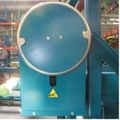
FIGURE 8
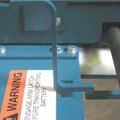
FIGURE 9
- Electric Extraction - With the green power button depressed, push the extraction valve handle to the right to extend the extractor arm toward the lift truck or battery stand and push the valve handle to the left to retract the extractor arm. See Figure 10.
- Vacuum (if equipped) - Pull up the vacuum switch to energize the vacuum pump and push down to de-energize the vacuum pump. LIFT CONTROLS
- Mechanical Lift - Insert the jack handle into the jack handle socket and pump the jack handle up and down to raise the inner carriage. To lower the inner carriage, slowly turn the release handle located at the base of the manual jack counterclockwise. Turn the release handle clockwise to stop lowering the inner carriage. See Figures 11 & 12.
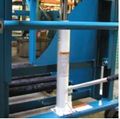
FIGURE 11
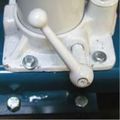
FIGURE 12
- Electric Lift - With the green power button depressed, push the lift valve handle to the left to raise the inner carriage and push the valve handle to the right to lower the inner carriage. See Figure 13.
- Vector Brakes - The vector brakes are used when transferring batteries from the BTC to the industrial truck or battery stand. To engage the vector brake, lift the release handle up and slide it forward allowing the vector brake to lower to the floor. To disengage, lift the release handle up until the notch in the release handle is allowed to move rearward, locking the brake in the raised position. See Figures 14 & 15.
- Floor Lock - The floor lock is to be used any time the BTC is left unattended. DO NOT use the floor lock during the change out process. To engage the fl oor lock, press down on the pedal with your foot. To disengage, press either of the two release tabs on the side of the floor lock with your foot. See Figure 16.
- Extractor Arm - Verify proper arm travel by slowly moving the extractor arm fully in and out of the battery compartment.
- Lift - Verify proper lift by slowly raising and lowering the inner carriage through the entire lift range.
- Vector Brakes - Verify operation by engaging and disengaging the vector brake to ensure smooth operation and verify complete contact of the brake pad with the floor. While engaged, carefully pull rearward on the cart to ensure proper engagement of the vector brakes. Note: When unloaded, it is normal for the front casters of the carriage to lift off the floor as the vector brakes engage.
- Floor Lock - Verify operation by engaging the floor lock and ensure the carriage cannot move when pushed or pulled with moderate force.
- Vacuum (if equipped) - Verify the vacuum pump energizes and there is suction at the vacuum port of the vacuum cup.
image--046.jpg)
FIGURE 7
image--048.jpg)
image--049.jpg)
image--047.jpg)
FIGURE 10
image--051.jpg)
image--052.jpg)
-8-card.jpg)
image--039.jpg)
image--050.jpg)
FIGURE 13
BRAKES
image--055.jpg)
FIGURE 14
image--054.jpg)
FIGURE 15
image--056.jpg)
FIGURE 16
OPERATIONAL TEST
After the initial installation has been completed or any service to the unit has been performed, an operational test should be conducted to ensure proper functions of the unit prior to returning the BTC back into service.